Hard Bounce vs Soft Bounce: An Email Marketer’s Guide
Learn hard bounce vs soft bounce differences, causes, and fixes. Use this practical guide to protect deliverability and keep your email list healthy.
In this guide
A hard bounce means an email can never be delivered to that address, usually because it does not exist, while a soft bounce is a temporary delivery failure that may succeed on a later attempt. Understanding hard bounce vs soft bounce matters because the two require different handling: hard bounces should be removed from your list immediately, while soft bounces deserve a few retries before you take action. Getting this distinction right protects your sender reputation and keeps your email marketing software delivering to the inbox instead of the spam folder.
What Is an Email Bounce?
An email bounce happens when a message you send is rejected by the recipient's mail server instead of being accepted into their inbox. The receiving server sends back a response, often called a non-delivery report, that explains why the message was refused. For anyone running campaigns or transactional email, bounces are not just a technical curiosity: they directly affect how mailbox providers like Gmail, Outlook, or Yahoo perceive your sending domain.
Every bounce falls into one of two broad categories: hard bounce vs soft bounce. The split matters because mailbox providers and email marketing software track bounce rates as a key deliverability signal. A sender who keeps emailing invalid addresses, or who ignores repeated temporary failures, looks careless to spam filters, which can lower inbox placement for every message that sender tries to deliver afterward, including legitimate transactional email like password resets or invoices.
Before diving into the differences, it helps to remember that a bounce is always reported at the individual recipient level. If you send a campaign to 5,000 contacts, some may bounce while the rest are delivered normally. That is why most platforms give you a per-recipient bounce report rather than a single pass or fail status for the whole send.
Hard Bounce vs Soft Bounce: Key Differences
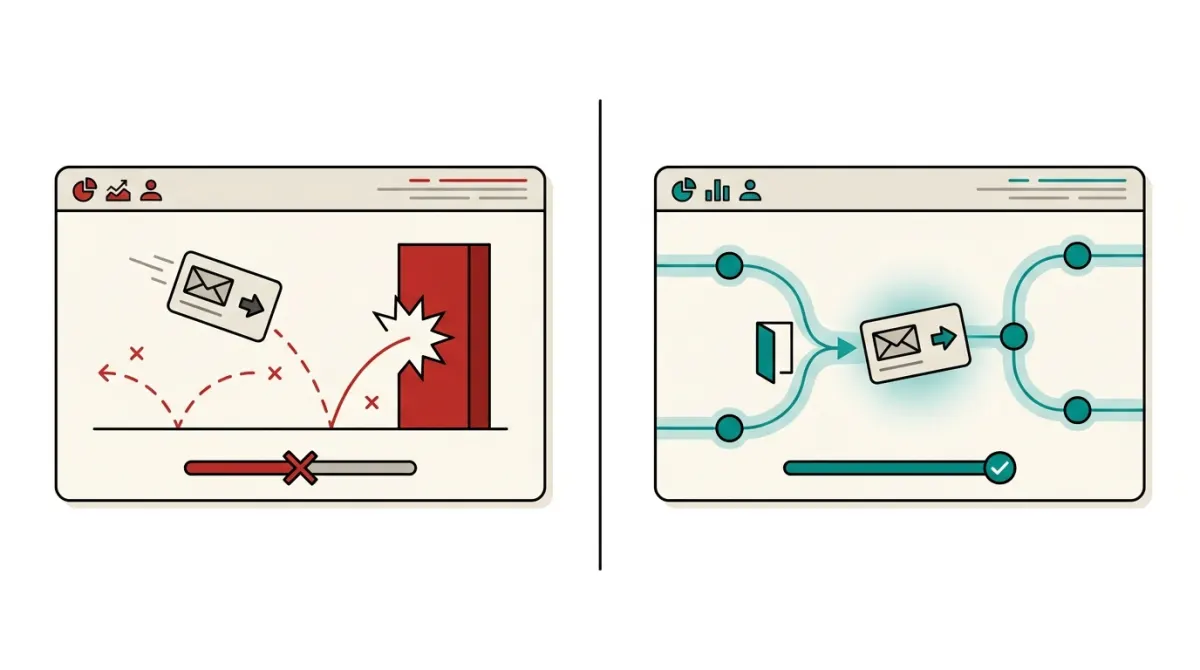
The core distinction in hard bounce vs soft bounce comparisons comes down to permanence. A hard bounce signals a problem that will not resolve itself, no matter how many times you retry. A soft bounce signals a problem that is often temporary and may clear up on its own within hours or days.
What Is a Hard Bounce?
A hard bounce is a permanent delivery failure. The receiving server tells you, in effect, that this address cannot and will not accept mail from anyone, not just from you. Typical triggers include a mistyped email, a domain that no longer exists, or a mailbox that has been permanently closed. Because the failure is final, there is no value in retrying the same address later.
What Is a Soft Bounce?
A soft bounce is a temporary delivery failure. The address itself is usually valid, and the message often reaches the recipient's mail server, but something prevents it from being accepted at that moment. Common triggers include a full inbox, a server that is temporarily overloaded, or an oversized attachment. A soft bounce today does not mean the same address will bounce tomorrow.
The table below summarizes the practical differences you should keep in mind when managing your list and your email deliverability.
| Criteria | Hard Bounce | Soft Bounce |
|---|---|---|
| Nature of the failure | Permanent | Temporary |
| Typical cause | Invalid or non-existent address, bad domain | Full inbox, server down, message too large |
| Retry value | None, the address will keep failing | Often resolves after one or more retries |
| Recommended action | Remove or suppress the address immediately | Monitor and remove only after repeated failures |
| Impact on sender reputation | High if ignored or repeated | Lower, but still monitored by mailbox providers |
In short, when you compare hard bounce vs soft bounce behavior, think of a hard bounce as a dead end and a soft bounce as a detour. The dead end should be removed from your route entirely, while the detour deserves a second or third attempt before you give up on it.
Common Causes and How to Diagnose Each Bounce
Diagnosing a bounce correctly starts with reading the bounce code or reason returned by the receiving server. Most email marketing software surfaces this information in a bounce report attached to each campaign or transactional send, which lets you distinguish a one-off glitch from a structural problem with your list.
Causes of Hard Bounces
- Invalid syntax: a typo in the local part or domain of the address, such as a missing "@" or an extra character.
- Non-existent domain: the domain in the address does not resolve to any mail server at all.
- Unknown or deleted mailbox: the user account associated with the address has been closed or never existed on that server.
- Blocked by the receiving server at the domain level: some servers reject all mail from a sender outright, which can also be reported as a hard failure depending on the provider.
Causes of Soft Bounces
- Full mailbox: the recipient has exceeded their storage quota and cannot receive new mail until they free up space.
- Server temporarily unavailable: the receiving mail server is down, overloaded, or undergoing maintenance.
- Message too large: an attachment or embedded image pushes the email past the recipient server's size limit.
- Content or reputation filtering: some servers temporarily defer a message while they evaluate the sender's reputation or scan the content, rather than rejecting it outright.
Diagnosing the right category before you send is often cheaper than fixing it afterward. Running your list through an email address validator before a campaign can catch many of the syntax errors, non-existent domains, and dead mailboxes that would otherwise show up as hard bounces once you hit send. This is especially useful for lists that have been collected over months or years, where a meaningful share of addresses may no longer be active.
For SaaS teams and developers, the diagnosis also depends on the type of email involved. Transactional email, such as a signup confirmation or a billing receipt, is usually sent in near real time through SMTP or an API, so bounce feedback arrives quickly and can be acted on inside your application logic. Campaign email, sent to larger batches at once, tends to surface bounce data in a report after the send completes. If you are building this logic yourself, a transactional email API that returns clear bounce codes per message makes it easier to automate suppression without manually combing through logs.
What to Do After a Hard or Soft Bounce
Once you know which type of bounce you are dealing with, the response should be proportional to the severity of the failure. Treating every bounce the same way, whether by ignoring all of them or by removing every address at the first sign of trouble, tends to either hurt your reputation or shrink your list unnecessarily.
Handling a Hard Bounce
- Suppress the address immediately. Do not attempt to resend to it in future campaigns or automated workflows.
- Check how the address entered your list. A sudden spike in hard bounces from a specific signup form or import often points to a bot submission or a data entry error upstream.
- Audit your collection process. If hard bounces are a recurring pattern, consider adding double opt-in confirmation or format validation at the point of signup.
- Review your sender reputation. If hard bounce rates have climbed over several sends, check your domain authentication settings and recent list sources before sending again.
Handling a Soft Bounce
- Allow for retries. Most email marketing software will automatically attempt redelivery of a soft-bounced message over a limited window before giving up.
- Track repeat offenders. An address that soft bounces on nearly every send, even if each individual failure looks temporary, behaves like a hard bounce in practice and should eventually be suppressed.
- Separate content issues from server issues. If soft bounces spike right after you add a large attachment or change your email template, test with a lighter version of the message.
- Keep an eye on patterns by domain. If soft bounces cluster around a single mailbox provider, it may signal a temporary reputation or authentication issue specific to that provider rather than a problem with your list.
Workflows and automations can take much of this manual work off your plate. Instead of reviewing bounce reports by hand after every send, an automation can automatically suppress hard-bounced addresses and tag repeatedly soft-bounced ones for review, so your list stays clean without constant manual intervention. If you build this directly against the sending layer, exposing bounce events over a TypeScript SDK or REST API, as with Lumail's platform, makes it straightforward to wire that suppression logic into your own application or AI agent workflows rather than relying only on a dashboard.
Ultimately, the hard bounce vs soft bounce distinction is less about terminology and more about discipline: remove what cannot be fixed, give temporary failures a fair chance to resolve, and keep monitoring your sending reputation so both numbers stay low over time.
Frequently asked questions
Is a hard bounce worse than a soft bounce?
A hard bounce is generally more serious for list quality because it usually indicates a permanent delivery problem, such as an invalid or nonexistent address. A soft bounce is often temporary and may resolve without intervention. However, repeated soft bounces can also harm sender reputation and signal that an address should be removed or suppressed. Treat both types as useful deliverability signals, but use different follow-up actions.
How do email marketing platforms handle hard and soft bounces?
Most email marketing platforms automatically suppress addresses that produce hard bounces so future campaigns are not sent to them. Soft bounces are usually monitored and may be retried, depending on the recipient server response and the platform's rules. If temporary failures continue, the platform may eventually suppress the address as well. Review your provider's bounce and suppression settings to understand exactly how each type is managed.
How should you read SMTP bounce codes and delivery reports?
Start with the SMTP status code, then read the accompanying explanation from the receiving server. Codes beginning with 4 generally indicate a temporary failure, such as a full mailbox or a temporary connection problem. Codes beginning with 5 generally indicate a permanent failure, such as an invalid recipient or rejected address. Delivery reports can also show whether the issue involves the mailbox, domain, authentication, policy, or sender reputation.
Can a soft bounce turn into a hard bounce?
Yes. A soft bounce can become a hard bounce when a temporary delivery problem is later confirmed as permanent. For example, a mailbox may initially be unavailable and later be removed, disabled, or rejected as nonexistent. Repeated temporary failures can also lead an email platform to suppress the address. Monitor the recipient's latest response rather than relying only on the first bounce classification.
Should you resend an email after a soft bounce?
A resend may be appropriate when the soft bounce reflects a temporary condition, such as a full inbox, brief server outage, or connection problem. Avoid repeatedly sending to an address that continues to fail, especially when reports show policy blocks or persistent rejection. Check the delivery report, allow the receiving system to recover, and follow your email platform's retry and suppression rules before attempting another send.
How can you prevent hard and soft bounces from affecting future campaigns?
Use confirmed, permission-based addresses and remove invalid contacts after hard bounces. Keep signup forms accurate, monitor addresses that repeatedly soft bounce, and make it easy for subscribers to update their details. Authenticate your sending domain, maintain consistent sending practices, and review delivery reports regularly. These steps help separate isolated mailbox problems from broader issues involving list quality, sender reputation, or message acceptance.